
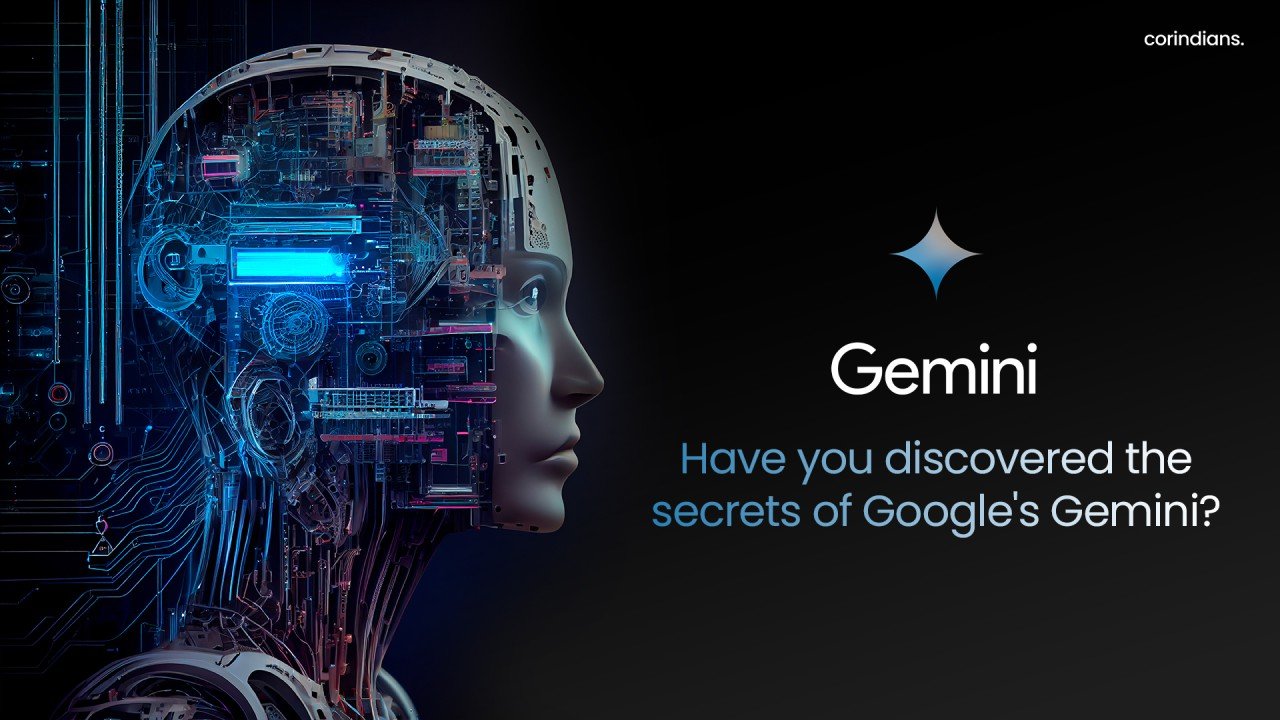
Artificial intelligence is now part of everyday work, education, business, and creative projects. One of the most recognized AI technologies is Google Gemini AI, Google’s family of generative AI models.
Gemini can understand and generate information, analyze content, answer questions, summarize text, brainstorm ideas, and assist with coding. Its ability to work with different types of information makes it useful for students, professionals, marketers, developers, and business owners.
Unlike traditional search engines that mainly provide links, Gemini can offer direct, conversational responses based on user instructions. This guide explores what Google Gemini AI is, how it works, its key features, practical uses, benefits, limitations, and tips for getting better results.
What Is Google Gemini AI?
Google Gemini AI is a family of generative AI models developed by Google. Gemini is designed to process and generate information across multiple formats, making it a multimodal AI system.
Depending on the product and model available, Gemini can work with:
- Text
- Images
- Audio
- Video
- Code
- Documents and other information
The technology is used across Google’s AI products and services, including the Gemini app and various features integrated into Google’s ecosystem.
The important distinction is that Gemini isn’t simply a chatbot. It represents a broader family of AI models and capabilities that Google continues to develop and integrate into its products.
How Does Google Gemini AI Work?
At a basic level, Gemini uses machine-learning models trained to recognize patterns in large amounts of information and generate useful responses based on a user’s instructions.
When you enter a prompt, the system interprets the information and attempts to produce an appropriate response. The quality of that response depends heavily on the prompt, available context, the specific Gemini model being used, and the task itself.
What Makes Gemini Multimodal?
Traditional AI systems may specialize in a particular type of input. Multimodal models are designed to handle several types of information.
For example, a user might provide an image and ask Gemini to explain what it contains. A developer could provide code and ask for help understanding or improving it. A student could give Gemini a complex concept and ask for a simpler explanation.
This ability makes Gemini useful for tasks that go beyond ordinary text conversations.
Key Features of Google Gemini AI
Gemini’s capabilities can vary depending on the model and product, but several features make it useful for everyday AI-assisted work.
1. Natural-Language Conversations
Gemini can understand conversational instructions and respond in natural language. Users don’t necessarily need to write complicated commands to get started.
For example:
Explain blockchain technology as if I’m a beginner.
The response can then be refined with follow-up questions.
2. Multimodal Understanding
Gemini can work with multiple forms of information. This can make it useful for analyzing images, documents, and other supported content alongside written instructions.
3. Writing Assistance
Gemini can help brainstorm topics, outline articles, rewrite passages, summarize text, and adjust the tone of writing.
However, AI-generated content should still be reviewed by a person, particularly when accuracy, originality, or professional expertise matters.
4. Coding Support
Developers can use Gemini for tasks such as explaining code, finding potential bugs, generating examples, and exploring programming concepts.
It can be useful as a coding assistant, but generated code should always be tested before being used in production.
5. Research and Information Support
Gemini can help users organize questions, understand concepts, summarize provided material, and explore topics. Depending on the product and current features, some Gemini experiences can also connect AI assistance with Google’s information ecosystem.
For important decisions, users should verify significant claims against reliable primary sources.
What Can You Use Google Gemini AI For?
The best way to understand Gemini is to look at practical applications.
| Use Case | How Gemini Can Help |
| Writing | Drafts, outlines, rewrites, brainstorming |
| Education | Explanations, study questions, summaries |
| Coding | Code explanations, examples, debugging assistance |
| Business | Ideas, reports, communication drafts |
| Marketing | Content ideas, campaign brainstorming |
| Research | Organizing information and questions |
| Productivity | Summaries, planning, task assistance |
| Creative Work | Story ideas, concepts, and brainstorming |
Everyday Examples
You could ask Gemini to:
- Summarize a long document.
- Create an outline for an article.
- Explain a technical subject in simple language.
- Generate ideas for a marketing campaign.
- Review a piece of code.
- Turn notes into a structured plan.
- Brainstorm names for a new project.
- Create practice questions for an exam.
The key is to treat Gemini as an assistant rather than an unquestionable source of truth.
Google Gemini AI for Students
Students can use AI tools to make learning more interactive.
Instead of simply asking for an answer, a student can ask Gemini to explain a concept step by step, create practice questions, or identify areas that need more study.
For example:
Prompt:
“Explain photosynthesis in simple terms, then give me five questions to test my understanding.”
This approach encourages learning rather than simply copying an answer.
Students should also follow their school’s or institution’s rules regarding AI-generated work.
Gemini AI for Businesses and Professionals
Businesses can use generative AI to support repetitive knowledge-work tasks.
Potential applications include:
- Drafting emails
- Brainstorming business ideas
- Summarizing meetings or documents
- Preparing presentation outlines
- Creating internal documentation
- Generating marketing concepts
- Analyzing provided information
- Improving workplace communication
AI can save time, but sensitive company information should only be entered when the relevant privacy and organizational policies allow it.
Gemini AI for Content Creation
Content creators can use Gemini during different stages of the writing process.
It can help with:
- Topic research
- Content outlines
- Headline ideas
- FAQ development
- Rewriting
- Summarization
- Content brainstorming
- Audience-specific explanations
For SEO professionals, Gemini can also be useful for brainstorming search-intent questions and content structures.
However, publishing raw AI output without fact-checking, editing, and adding genuine value isn’t a reliable content strategy. Strong content still needs accuracy, originality, useful information, clear organization, and human editorial judgment.
Gemini AI for Coding
Developers can use AI to accelerate parts of the programming workflow.
For example, you can provide a code snippet and ask:
Explain what this function does and identify possible edge cases.
You can also ask for a simple example implementation of a programming concept.
AI coding assistance is most effective when the developer understands the underlying code and verifies the result. Generated code can contain logical errors, outdated approaches, security issues, or assumptions that don’t fit a specific application.
Benefits and Limitations of Google Gemini AI
Major Benefits
Versatility: Gemini can support many different types of tasks.
Multimodal capabilities: Working across different information formats can make AI assistance more flexible.
Productivity: It can reduce the time required for brainstorming, drafting, summarizing, and other repetitive tasks.
Accessibility: Natural-language interaction makes advanced AI capabilities easier for non-technical users.
Important Limitations
Gemini, like other generative AI systems, isn’t perfect.
It may sometimes:
- Produce incorrect information
- Misunderstand a request
- Give incomplete answers
- Present uncertain information too confidently
- Generate inaccurate code
- Reflect limitations in its available information or tools
That’s why users should verify important facts rather than assuming every AI-generated response is correct.
Tips for Getting Better Results From Gemini
Better prompts generally produce more useful results.
1. Give Clear Context
Instead of:
Write an article.
Try:
Write a beginner-friendly 1,200-word article explaining cloud computing, with practical examples and clear H2 headings.
2. Define the Desired Format
Tell Gemini whether you want a table, bullet list, summary, outline, email, or detailed explanation.
3. Specify the Audience
A response for a software engineer should be different from one for a beginner.
4. Break Complex Tasks Into Steps
For large projects, ask Gemini to complete smaller stages rather than expecting one prompt to produce a perfect final result.
5. Fact-Check Important Information
AI should assist your judgment, not replace it.
Key Takeaways
- Google Gemini AI is Google’s family of generative AI models and related AI products.
- Gemini is designed for multimodal AI tasks involving formats such as text, images, audio, video, and code.
- It can support writing, education, business, coding, research, and productivity.
- Clear prompts and useful context can significantly improve results.
- AI-generated information can contain mistakes, so important claims should be verified.
- Human review remains important for professional, academic, financial, legal, medical, and other high-stakes uses.
- Gemini works best as an assistant that helps people think, create, analyze, and work more efficiently.
FAQs About Google Gemini AI
1. What is Google Gemini AI?
Google Gemini AI is a family of generative AI models developed by Google for understanding and creating different types of content.
2. Is Google Gemini AI free?
Gemini offers free access, while some advanced features may require a paid plan.
3. What is Gemini used for?
It can help with writing, studying, brainstorming, research, summaries, coding, and productivity.
4. Can Gemini create images?
Yes, certain Gemini experiences offer image-generation features, depending on availability.
5. Is Gemini better than other AI tools?
It depends on your needs, workflow, and the features you require.
6. Can Gemini write articles?
Yes, Gemini can create drafts, outlines, and summaries, but human editing and fact-checking are recommended.
7. Can Gemini help with coding?
Yes, it can explain code, generate examples, and help identify potential programming issues.
Conclusion
Google Gemini AI is a powerful generative AI technology designed to support a wide range of professional and everyday tasks. It can assist with content creation, research, data analysis, learning, coding, brainstorming, and productivity. Its ability to process different types of information makes it valuable for students, professionals, businesses, marketers, and developers. However, AI-generated responses may occasionally contain errors or incomplete information, so important details should always be reviewed and verified. For better results, users should provide clear instructions, relevant context, and specific objectives. Gemini is most effective when used as a supportive tool alongside human expertise and judgment. As artificial intelligence continues to evolve, understanding its capabilities and limitations can help individuals and organizations use Gemini more efficiently, responsibly, and strategically.
Learn About: Tubehalote
